
Meet Octarine
A quick overview of Octarine, a private Markdown editor for notes, knowledge management, daily planning, and AI-assisted writing.
Welcome to Octarine! We're excited to have you. Octarine is a fast, private markdown editor designed to help you capture ideas, organize knowledge, and get things done.
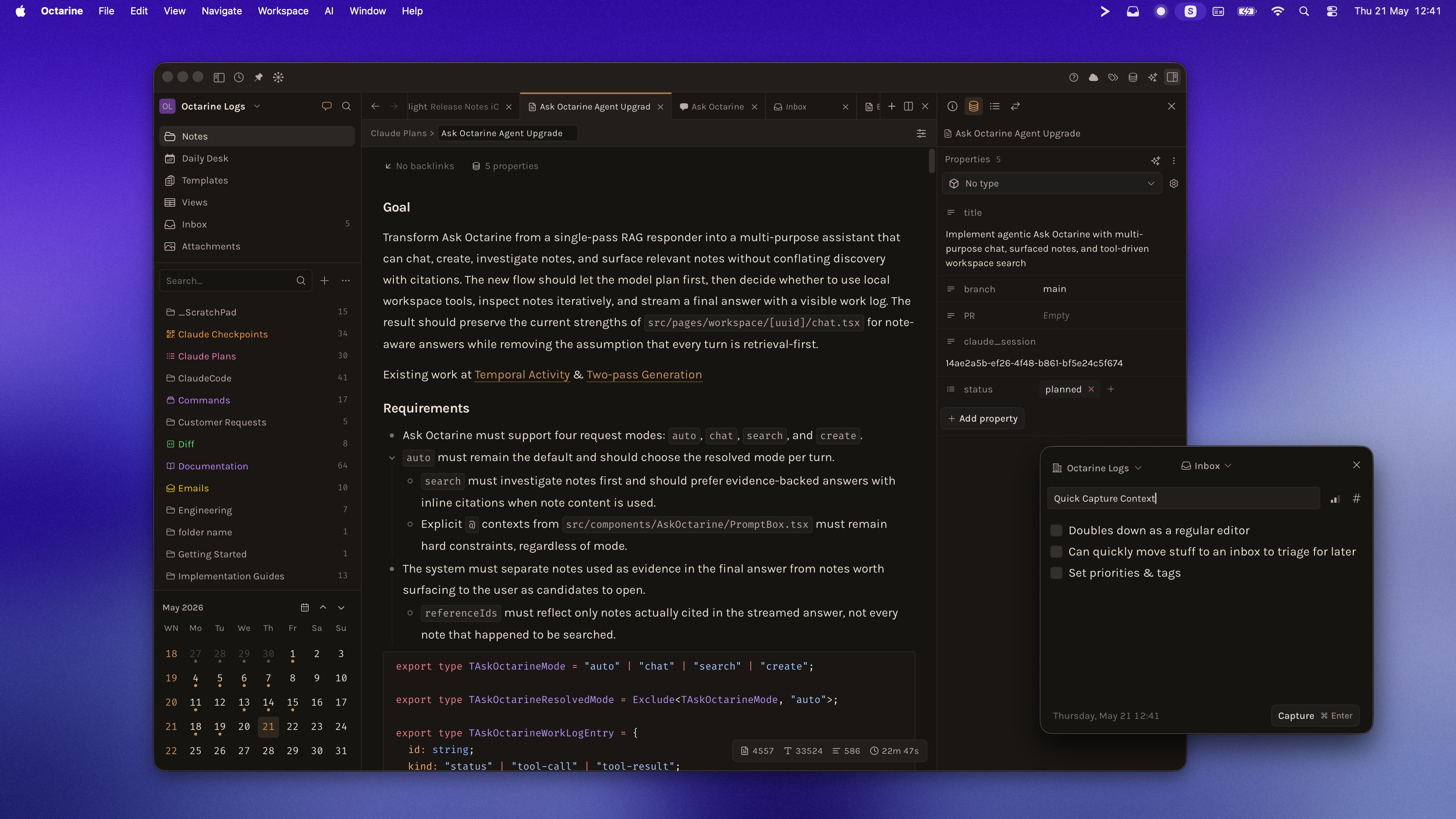
Key Features
- Distraction-Free Writing: A clean WYSIWYG editor that stays out of your way, letting you focus on what matters—your ideas.
- Local-First & Private: Your notes are stored as plain markdown files on your device. No cloud lock-in, no subscription required for core features.
- Daily Desk: Start each day with a dedicated space for tasks, notes, and quick capture. Stay organized without the overhead.
- AI-Powered Assistance: Get help with writing, summarization, and more using your preferred AI provider—local or cloud-based.
- Powerful Search: Find anything instantly with workspace-wide search, including full-text search across all your notes.
- Flexible Organization: Use folders, tags, properties, and views to organize your notes the way you think.
Join the Community
Octarine is built with care, and we love hearing from our users. Connect with us to share feedback, report issues, or suggest new features.
Note: Octarine is actively evolving, and documentation may not always reflect the latest features. Check the changelog for the most up-to-date information — the docs will catch up soon.
Quick Answers
What is Octarine?
Octarine is a private Markdown editor for writing notes, organizing knowledge, planning daily work, and using AI assistance with your own workspace context.
Where does Octarine store notes?
Octarine stores notes as plain Markdown files on your device, so your workspace stays portable and local-first.
Can Octarine work with AI tools?
Yes. Octarine can connect to local and cloud AI providers for features like Writing Assistant, Ask Octarine, and weekly recaps.